Brave Browser Feature Review (release v.1.3.115 Windows)
I thought I'd do a feature review of Brave browser release v. 1.3.115 Windows, for those who haven't tried it. So, here we go...
Brave Browser is a "privacy"-oriented browser that is fast and has some nice features. It is an un-Googled Chromium browser (depending on settings choices) so you will notice many features that are similar to Chrome and other Chromium forks. Brave's business model centers on offering a privacy-oriented browser with the choice to opt-into its Brave Rewards program, where users earn BAT (Basic Attention Token) with which they can "reward" or support websites that rely on donations, e.g. gHacks before it started using an ad-based business model. More info on BAT can be found here basicattentiontoken.org . Another Brave feature is the "Browse in private with Tor" feature.
Below are some screenshots with a general and/or specific descriptions of features.
In "Appearance" (below) there are a number of settings, including light or dark theme, custom themes, options to use a wide address bar, hide Brave rewards icon and the usual Chromium appearance settings. Brave users can choose whether to opt-in to Brave Rewards. If choosing not to, users may hide the "Brave Rewards" icon.
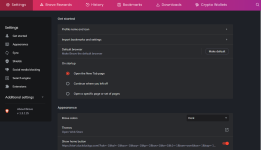
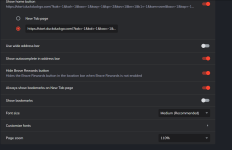
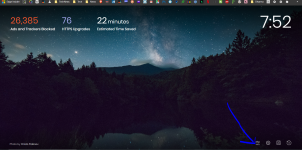
The Brave browser page features quick access to: configure Brave homepage, settings, bookmarks and browsing history. Plus, it's beautiful!
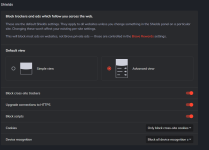
In the Shields section are switches to use simple or advanced Shields view, block trackers & scripts, upgrade to HTTPS and fingerprinting protection.


Nhận xét
Đăng nhận xét